Your usual, with less fuss.
Choose a drink from the catalog, use a recent entry, or enter your own caffeine amount. Keep the amount and time together.
Log your caffeine. See what may still be in your system at bedtime. Track how you slept, and get to know your own patterns.
Currently in testing. iPhone via TestFlight · Android via closed testing. Public store downloads are not available yet.
Build a more intentional relationship with caffeine: log your cups, notice the timing, and put your bedtime and sleep diary in the same picture. A little context for the next coffee decision.
Choose a drink from the catalog, use a recent entry, or enter your own caffeine amount. Keep the amount and time together.
Set your bedtime and see an estimate of the caffeine remaining. Use it as context when deciding on another cup.
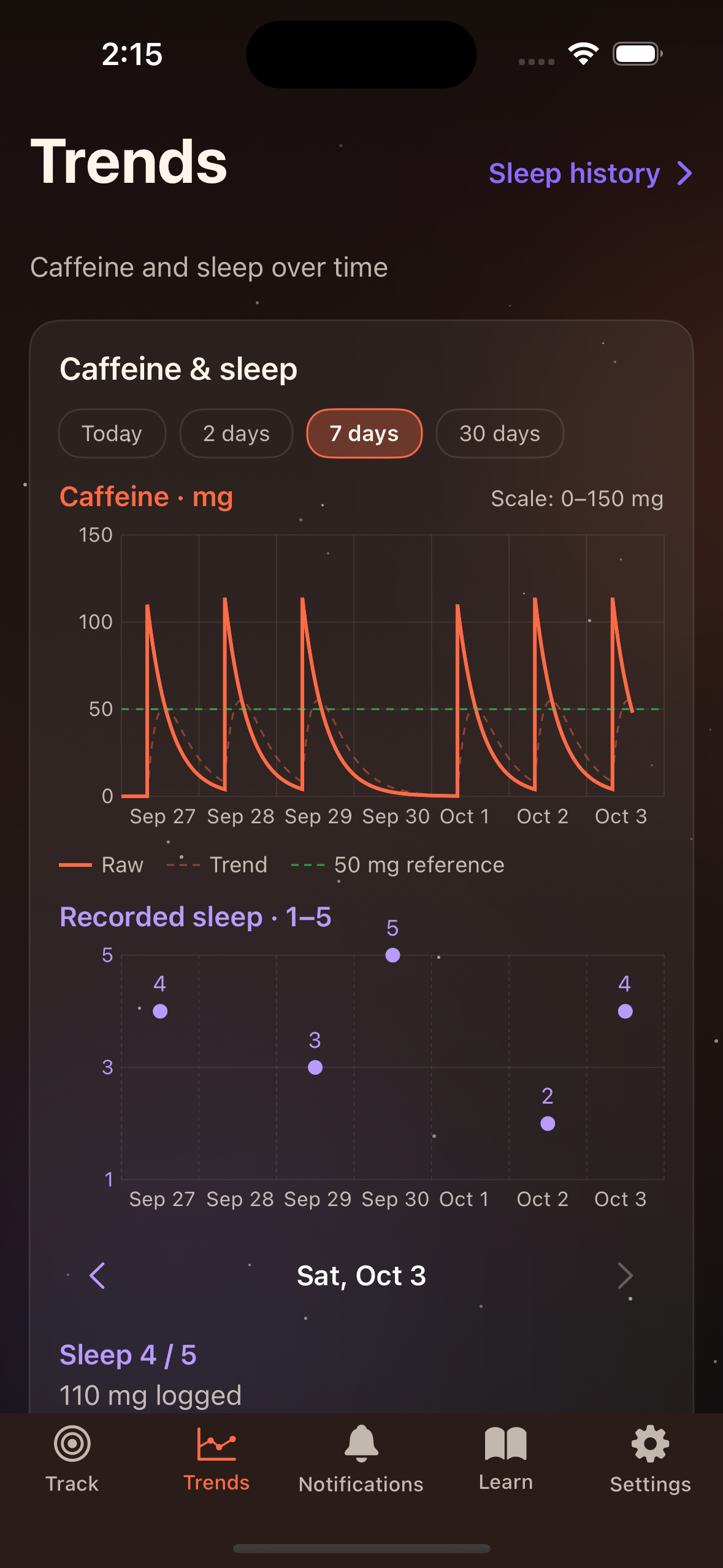
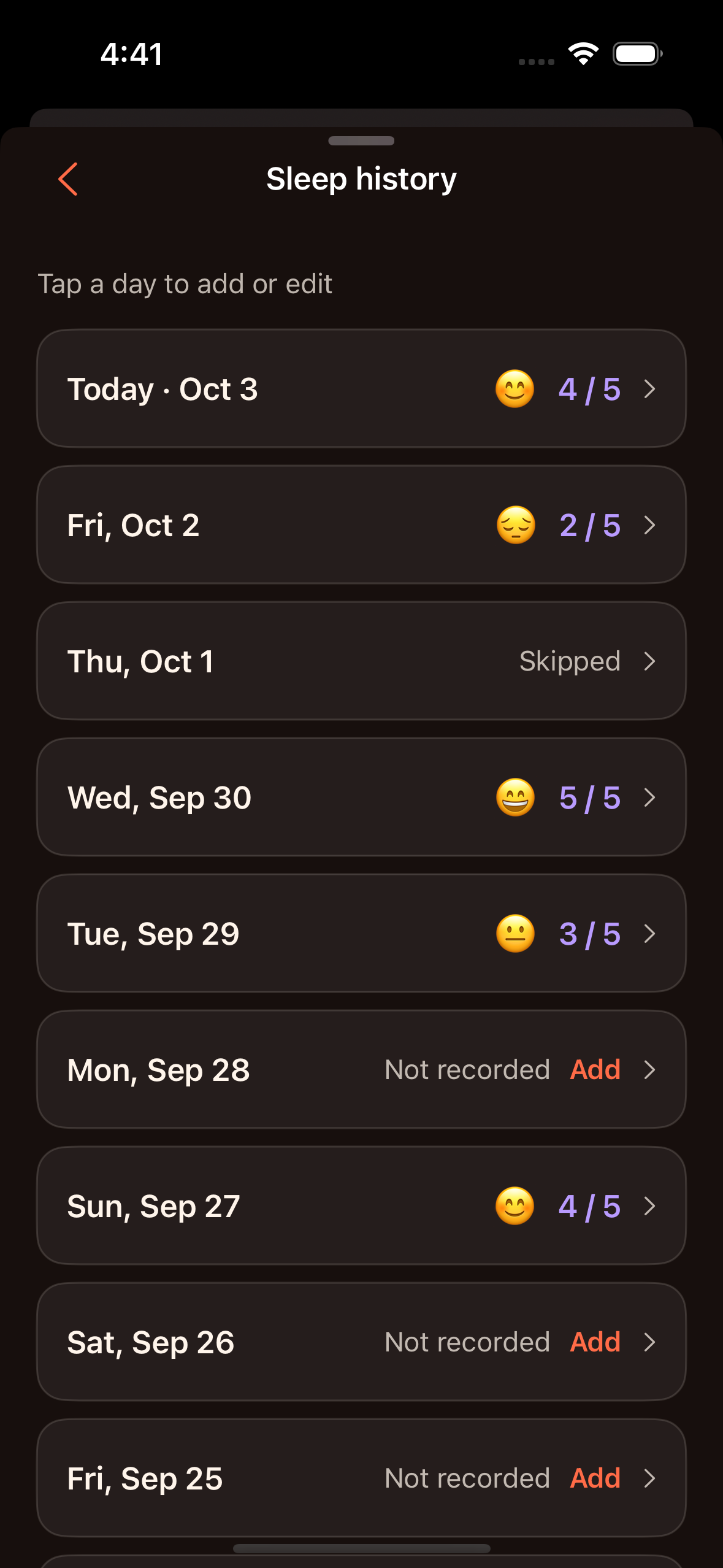
Rate your sleep from 1 to 5. Review your entries over time, with caffeine estimates and sleep ratings on separate scales in Trends.
How did you sleep? A quick rating adds the part only you know.
Trends access depends on your app entitlement. Sleep history remains accessible without Pro. Shown here: the current testing version.
Start by seeing how much you drink and when. DeCaf puts your caffeine timing, bedtime estimate and recorded sleep together so you can reflect on your routine. It does not measure your energy, predict how you will feel, or promise better sleep.
DeCaf uses the caffeine amounts and times you log with a five-hour half-life model. It is an estimate, not a measurement of your body. Individual responses vary; 50 mg is a reference, not a sleep guarantee.
The upcoming Android closed-test build 0.2.26 (38) includes optional, read-only sleep import through Health Connect. Availability to eligible testers is pending; the current Android 37 release does not include import. Imported sleep stays on this device and remains separate from your manual ratings. Earlier Android versions and the current iPhone testing version do not include import. Read how imported sleep is handled.
Apple and Google purchases are currently disabled in the beta. We will explain available plans and store-specific pricing when purchases are ready.
Visit Support for help and account deletion instructions. Read the Privacy Policy for information about data handling.
DeCaf is in TestFlight and Android closed testing. Join the waitlist for a launch notification. This does not grant testing access or guarantee a launch date.